CASE 143
ASSIGNMENT
Game Jam #01 - Atari Remake
Individual Assignment
DESCRIPTION
For this assignment, we were given 2 and a half weeks to design and remake a classic Atari game. I chose to redesign Donkey Kong. I had a lot of fun with this project and I learnt a lot of useful skills.
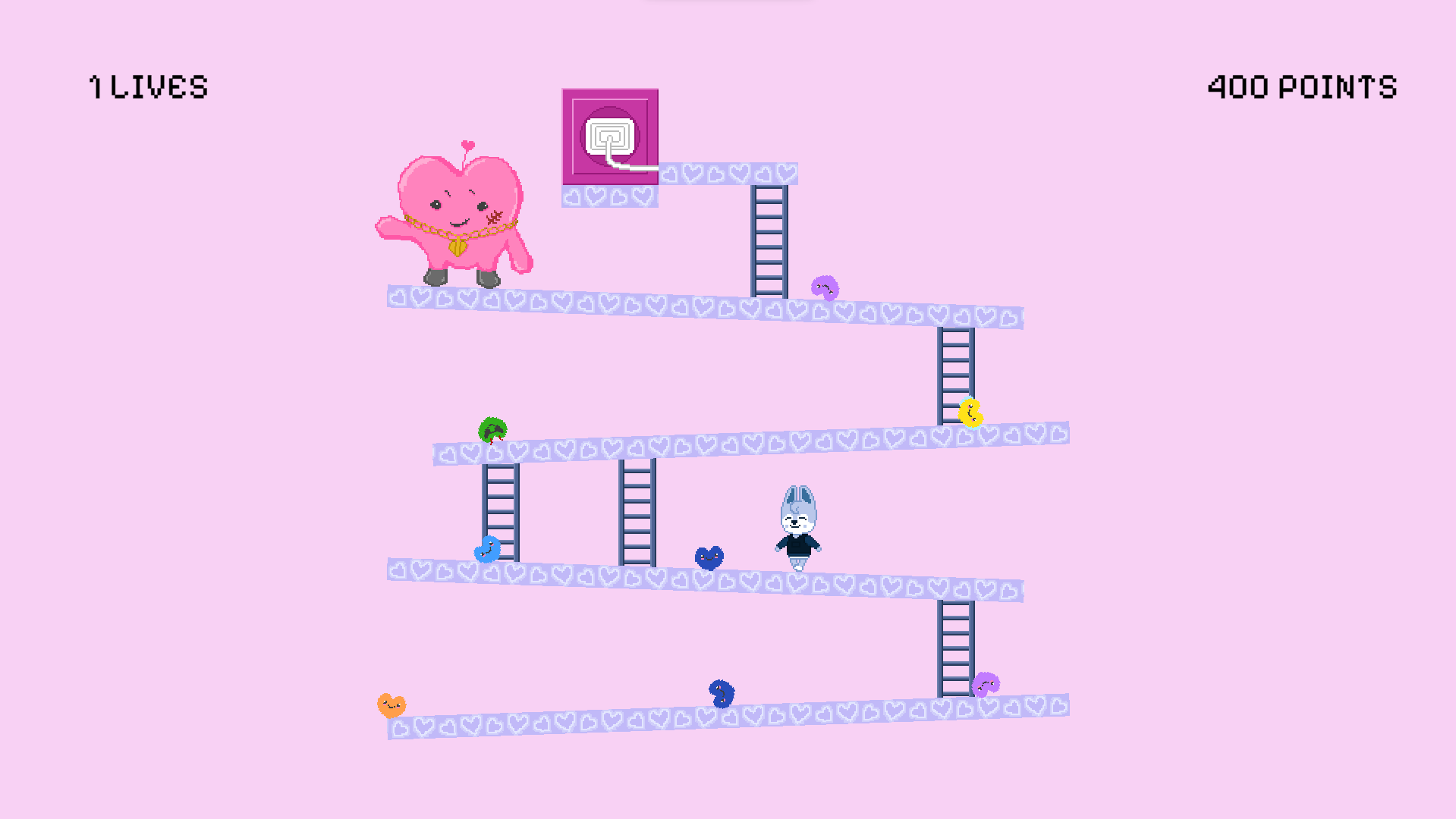
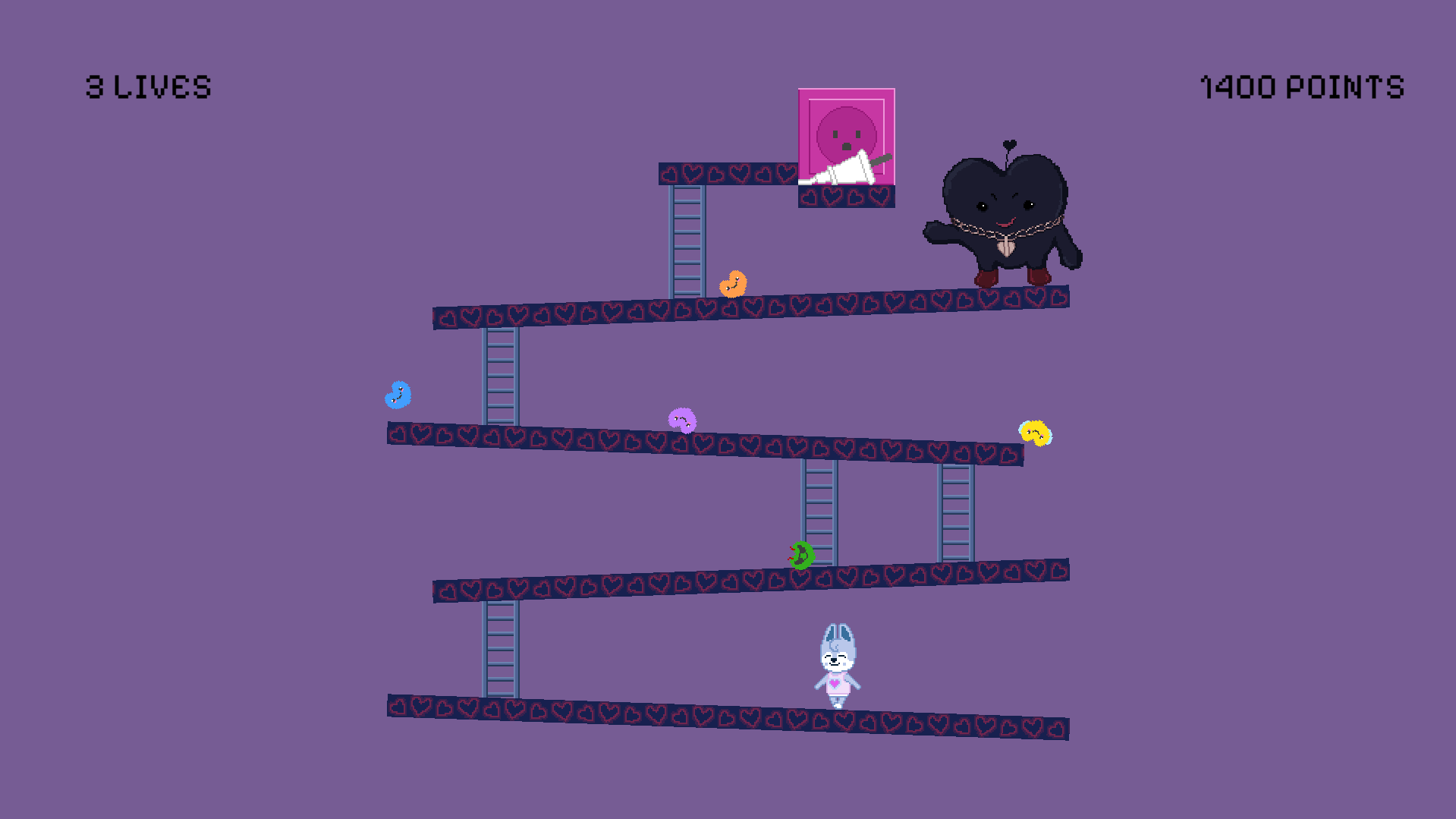
Full Playthrough
Inspiration: Case 143 - Stray Kids
Inspiration
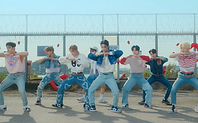
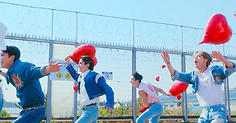
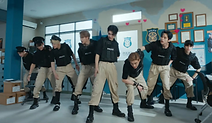
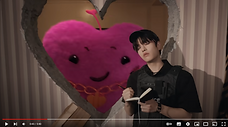
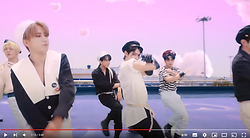
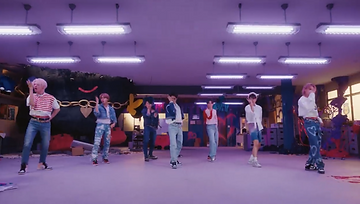
My remake of Donkey Kong is inspired by the music video for 'Case 143' by Stray Kids. This music video has an interesting storyline with a lot of colourful elements that I can incorporate into my remake.
https://fonts.google.com/specimen/Pixelify+Sans?query=pixel
Background music: https://open.spotify.com/track/55ScWt8haOcejTDexwOvjb?si=7c2cbe5a632f45c7
Inspiration
Case 143 - Stray Kids
My remake of Donkey Kong is inspired by the music video for ‘Case 143’ by Stray Kids. This music video has an interesting storyline with a lot of colourful elements that I can incorporate into my remake. I’m also a huge fan of Stray Kids, so it was fun analysing the video to figure out which elements I wanted to include.

Character Design
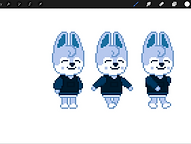
Wolf Chan as Mario

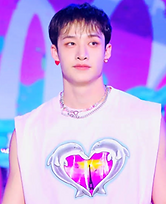
The ‘Mario’ of my remake will be Wolf Chan. Wolf Chan represents Bang Chan, the leader of Stray Kids (a lot of K-pop groups have animal representatives for each member). Bang Chan is my bias, so I chose his character. I have a plushie of Wolf Chan, so it helped to have it as a reference when I drew him.

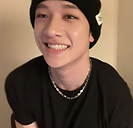

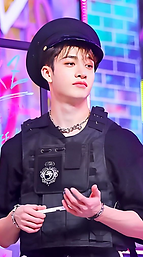
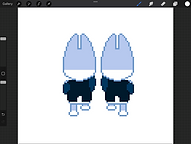

These are my drawings for Wolf Chan. I used pixel art like the original style of Donkey Kong (I also just really like doing pixel art). I drew these on procreate. I first drew a front and back view to figure out the proportions and outfit (I tried to keep a similar outfit to the one Bang Chan wore in the music video, but it was hard to add all the details with a small number of pixels). I drew the side view for the walking cycle, and only drew three frames in total so the animation wouldn’t be smooth and used the back view to draw the climbing frames (these are the same, one is just flipped).
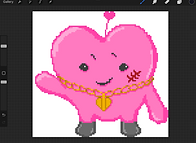
Pipi as Donkey Kong

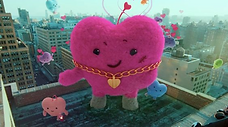
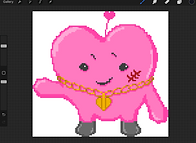
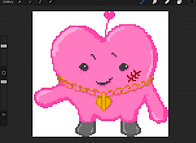
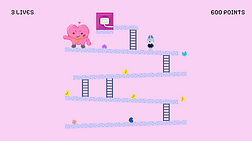
In the music video, this heart monster is basically the antagonist, so I made the heart monster (it’s called Pipi) the Donkey Kong of my game. I added in a small script that makes Pipi wave while standing at the top of the level. I did this the same way as the tutorial did for Mario walking and climbing.
Asset Design
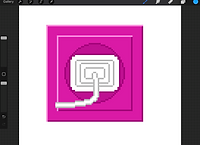
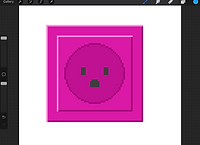
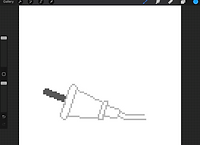
Plug as the Princess
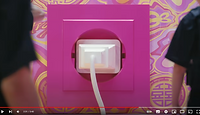
Instead of the princess, I used this plug shown in the music video. When it is unplugged, the heart isn’t in control anymore, so the goal of my game is for the player to reach the top of the level and unplug it. I originally wanted it to be shown unplugging at the end of each level, but I couldn’t figure out how to do this.
Hearts as Barrels
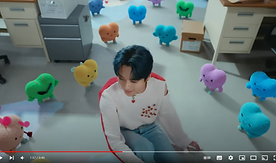
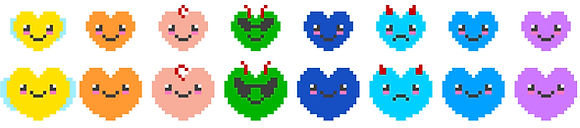
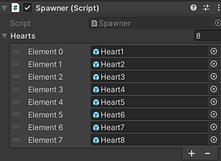
These small versions of the heart monster are shown throughout the video. I believe there are 8 different hearts, so I drew a design for each. The tutorial only shows you how to make one barrel roll down, but I wanted all 8 to be shown.
I ended up redrawing the barrels, they were way too small. I didn’t want to just resize them in the scene because then the pixels would be larger than the other pixels. I actually ended up liking the bigger ones better since I could add more detail and make them more accurate.
Ladders and Platforms
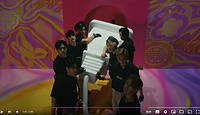
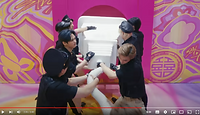
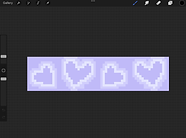
I designed the ladders, platforms, and background colour from this specific set of the music video. I thought the colour palette was very pretty and I liked the design of hearts on the floor. I thought it would make for cool platforms.
When I put the ladders in with the scene, they looked very flat and 2-dimensional compared to everything else. I redrew them thicker and with shading.
Old Hearts
New Hearts
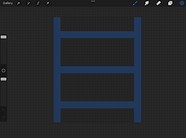
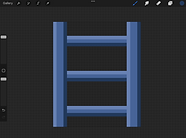
Shade of blue colour-picked from scene
Heart pattern on floor
Level Design
First level
Originally, I designed the level the same as in the video, however, Wolf Chan was a lot taller than Mario, so his head would be touching the layer above without jumping.
Because of this, I had issues with getting Wolf Chan to ignore the platform above (not collide with it when he jumped), but it turned out to be because I was messing around with the pivot point earlier and it wasn’t centered.
I also had issues with Wolf Chan getting stuck at the end of the platform (he would ignore the collision with the platform above unless it was the vertical end of it) and because this was when I had only removed 1 platform, not 2, he would get stuck and not be able to fit back under. I ended up removing another platform to solve this.
Original Layout
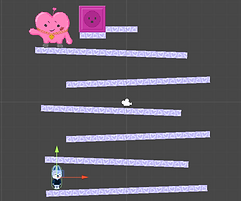
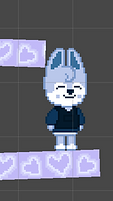
Wolf Chan did not fit back under the above platform.
Altered Layout
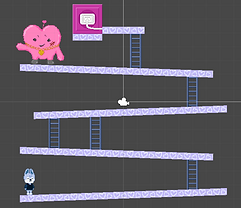
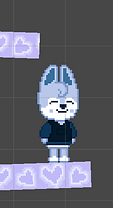
After removing 2 platforms, Wolf Chan did fit under the end of the above platform.
Second Level
Since we had a short amount of time to make this, I only made 2 levels. The second level is almost the same as the first but flipped and with a different colour scheme. In the music video, we get a glimpse of a dark version of the heart monster, so I decided theme the second level around this.
I re-drew the platforms and background colour to match the scene the dark heart monster was shown in and changed Wolf Chan’s outfit from the police to the pink heart top. The plug is pulled out of the wall at the top, so in the second level the player must get to the top to plug it back in. After they pull out the plug in the music video, they are shown plugging it back in, so I thought this was fitting.
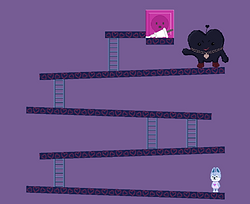
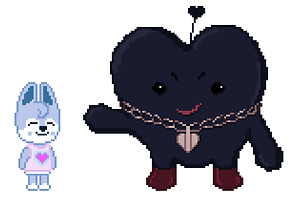
Title screen
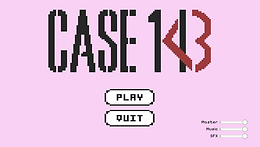
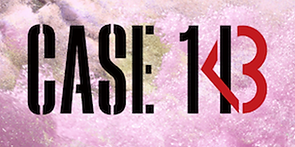
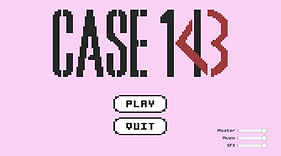
I designed the title screen to look like the album cover (the title is CASE 143). I designed my own play and quit buttons so I could make them in the pixel style to match. I tried to make my own pixel font so I could write the text for the volume sliders and points, however I couldn’t find a quick way to do this, so I downloaded a font from google fonts that looked similar to the one I wanted to make.
Other Issues
Pixel Perfect camera
All my pixel art looked distorted in the game view, I played with the pixels per unit setting and the camera size but didn’t help. After some research, I found I needed to use a pixel perfect camera. This is a component you can add to the camera. Once I added this, my pixel art looked how I wanted it to.
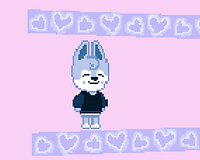
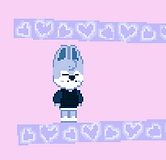
Distorted pixels
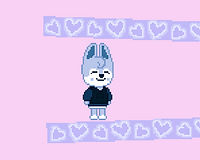
Accurate pixels
File Issues
I had been using OneDrive to save my unity file and work from. When I went to class in week 2, I found out OneDrive is not a good way to save large files and it didn’t sync my work properly, so I had to spend the entire lesson redoing several of my scripts and prefabs instead of working on my project. When I tried to fix my scripts from that file, unity wasn’t letting me change the preferences for visual studios to get rid of the miscellaneous files at the top of the script, which meant I couldn’t use the autofill and it wouldn’t underline any errors. I ended up making a whole new project and copying over my sprites and remaining scripts. I used my hard drive for the rest of the project.
Coding
Using all hearts
The tutorial I followed only showed me how to make one barrel roll down, but I wanted it to randomly pick out of the eight hearts (barrels) I designed. My dad helped me with the code. We made a function that chose a random number, then used it in the spawn function to chose a random number from the amount of hearts I added.
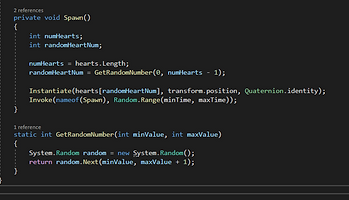
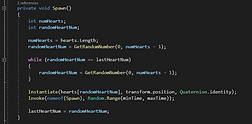
Heart Repeats
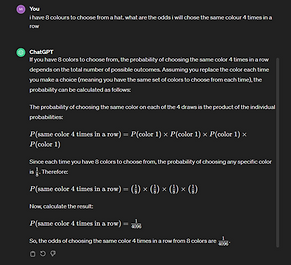
When playtesting my game, I noticed that 4 of the same colour heart were spawned consecutively. This had a 1/4096 chance of happening, but I had noticed several times that 2 or 3 of the same colour would spawn. To stop this happening, I added these lines into the script. If the heart colour it picks is the same as the last, it picks a new one.
Points
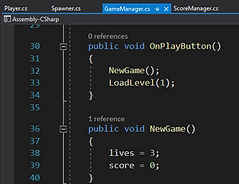
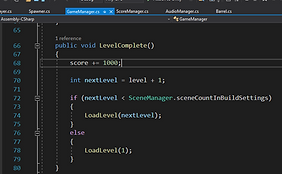
The tutorial only showed me how to add points for completing a level. However, in the original game, the player also gets points whenever they jump over a barrel (or heart in my case). This code shows the player starting a new game with 3 lives and 0 points and gaining 1000 points when they complete a level.
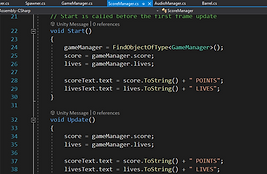
The Score Manager script is used to display the score on the screen. Since the score and number of lives is calculated in a different script, I had a bit of trouble figuring out how to link them. The Score Manager code below shows how I did that.
Jumping over a heart
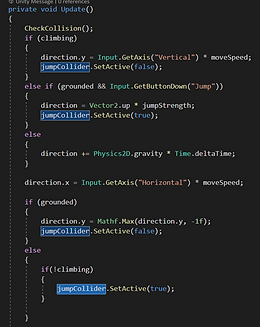
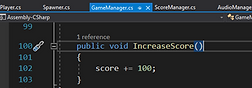
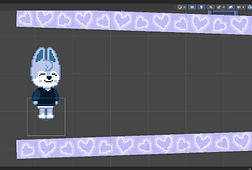
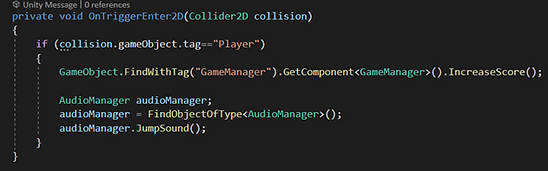
I wanted the player to gain points whenever they jumped over a heart. I had to make a way for the script to know when the player had jumped over a heart (Masaya helped me with this part). I added a box collider – set as a trigger – to Wolf Chan’s feet as a child. I then set the collider to only turn on when Wolf Chan had jumped. This was so the player cannot get points for hovering on a ladder above the hearts. I created a function that added 100 points to the score, and called this whenever the box collider had a collision with the hearts.


Sound
I followed Masaya’s tutorial for the sound. I set the background music to play as soon as the game starts, and just carries on throughout the game.
Then instead of using specific keys to make the sound, I made the jump sound play only when the player jumps over a barrel. I also set the fail sound to play whenever the player loses a life.
I put the volume sliders from Masaya’s tutorial on the title screen of my game so the player can adjust them before the game starts.
Background music: https://open.spotify.com/track/55ScWt8haOcejTDexwOvjb?si=7c2cbe5a632f45c7
Jump sound: https://pixabay.com/sound-effects/8-bit-video-game-points-version-1-145826/
Fail sound: https://pixabay.com/sound-effects/8-bit-video-game-lose-sound-version-1-145828/
Failing Game Error
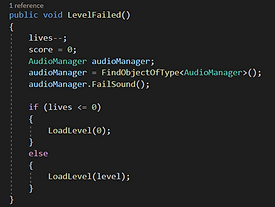
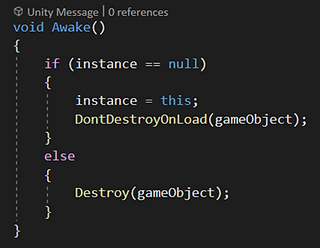
When the player loses all three lives, the game returns to the title screen. However, when this scene loads, a new game manager and audio manager would be created. This meant a second background music would start playing while the original one was still there. I fixed this by adding this code, that meant if an audio manager already existed, a new one would not be created.
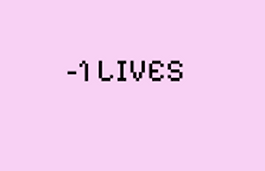
When 2 game managers existed, you could click the play button to start a new game, however you would start with 0 lives and as soon as you lost one life it would go to -1 and then end the game. However, if I added the same code to this script as the audio manager, you can’t even start a new game, nothing happens when you click the play button. I left the new code in so you can’t play a second game if you fail. (the quit button also doesn’t work after you’ve played a game, so you have to exit the application through the task bar)
Bugs/errors
If the player jumps over a heart and then lands on it, they get 100 points then lose it straight away, causing both the jump and fail sounds to play, and sometimes the player loses 2 lives instead of 1 when this happens.
The points reset to zero whenever you fail so that means if you made it to the second level and lose a life, you also lose the points you got in that level. If I had more time, I would figure out how to make you only lose the points you earned on that level, not all your points.
Between each level, the camera stays off for 1 second. However, after the title screen, the canvas elements (the buttons and the sliders) stay on screen. They are meant to disappear as well.
Evaluation
Overall, I’m happy with how my game turned out. This is the first time I have done coding like this, so I learnt a lot and really enjoyed it. There are a few things I would change or add if I had more time to make this game, such as:
Different obstacles for new levels, such as the fire things and moving ladders,
Showing the number of points on the screen when the player gains them,
A scene in between levels the says NEXT LEVEL or GAME OVER when the player loses all lives,
More SFX, including when Wolf Chan is running and climbing,
As well as the bugs mentioned in the previous 2 slides.
© 2026 BY MILLIE THOMPSON. Powered and secured by Wix